Audit
Search and inspect security, identity, and network events.
Use Security → Audit for individual events, including authentication activity.
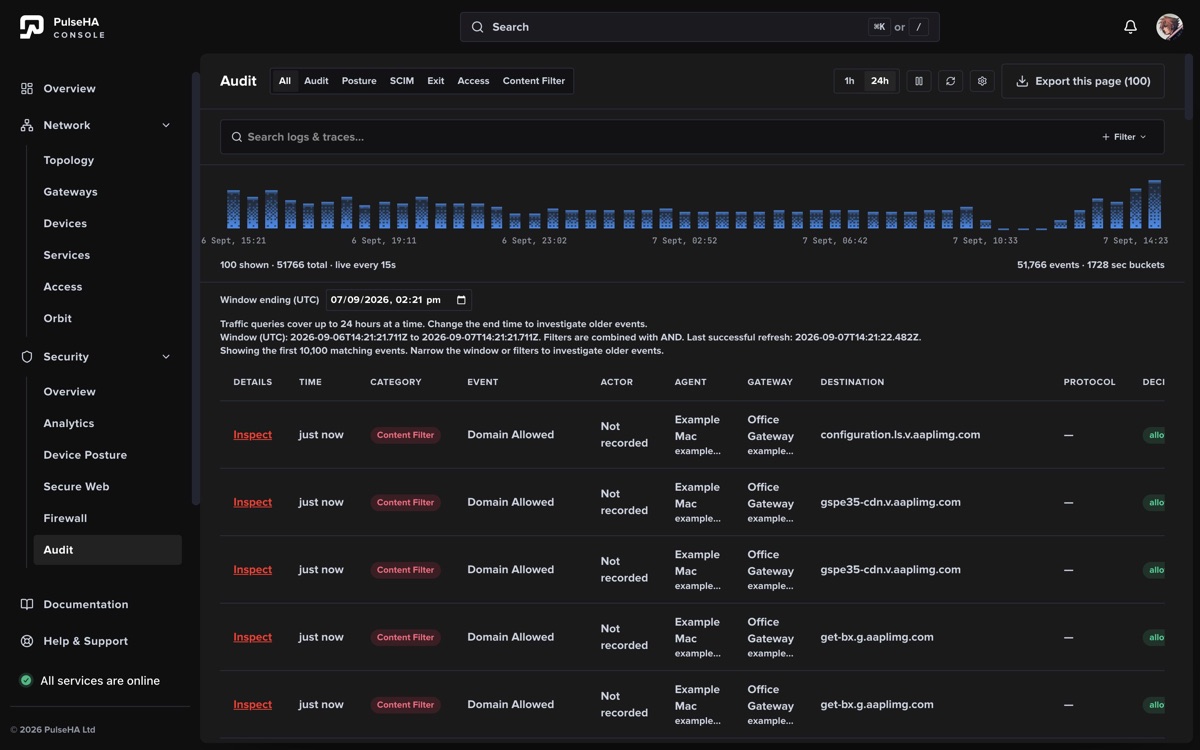
Audit combines a fixed investigation window with category filters, event detail, and current-page export.
Investigate an event#
- Select the relevant category. Categories use their supported time windows; unavailable windows cannot be expanded from the UI.
- Choose a fixed historical window and add event, decision, actor, device, gateway, destination, or protocol filters.
- Pause polling while examining a stable result set. Changing pages or filters also pauses or resets live context as indicated.
- Open a row in the event inspector to review the available fields and metadata.
- Export when needed. Export includes the current loaded page, not every matching event.
The table loads 100 rows per page and stops at the 10,100-result query cap. Narrow the category, time, or filters when a search reaches that limit.
Retention and reliability#
Logging Settings control exit-traffic detail and the configured retention period. Retention is a policy setting, not a promise of absolute durability or completeness. Upstream outages, disabled logging, delayed reports, and product limits can affect evidence. Preserve required records in your approved external system.
Authentication audit is here under Security → Audit, even when reached from Authentication settings.